


Compose Material Catalog
4.025.00 Reviews
App Specs
- Version
- 2.5.0
- Updated On
- License
- Free
- Downloads
- 100,000+
- Developer
- Google LLC
- Categories
- Libraries & Demo
- Platform
- Android
Screenshots
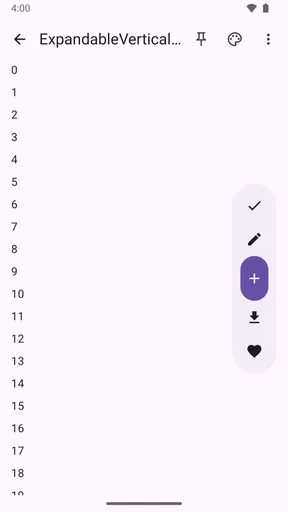
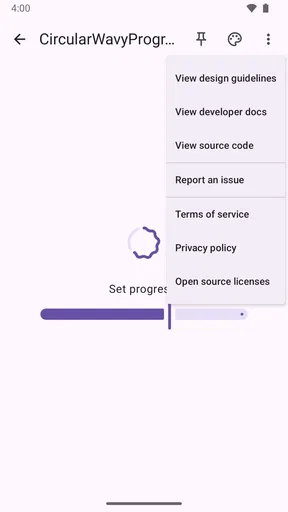
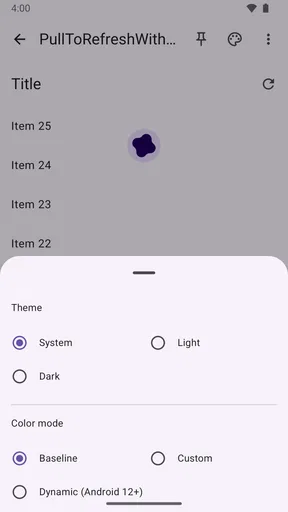
 Analysis by AppCompare
When I’m trying to understand a UI component, I usually want to see it behave rather than guess from a screenshot or a paragraph of documentation. That is where Compose Material Catalog earns its place: it gives Jetpack Compose learners and Android developers a way to explore interface elements directly on a phone. I find it most useful as a visual companion to coding, not as a substitute for building a real screen or consulting project documentation.
A handy reference, not a complete development setup
Published by Google LLC, this free Android app sits in the libraries-and-demo space. Its purpose is focused: help people inspect Material-style UI examples made with Jetpack Compose. It is not a general design tool, a course that walks through an entire app, or a way to create and export finished screens. If you want to learn how a component feels and responds, it is a sensible place to start; if you need an editor, build system, or full project template, you will still need your usual development tools.
I would recommend it to someone who already has a little context for Android interfaces, as well as to a beginner willing to pair exploration with reading and practice. A newcomer can tap through examples and build a mental picture of what common controls do, but seeing a demo alone will not explain every design decision or teach the structure of a complete Compose project. Experienced developers may get more value from it as a quick visual check than as a deep technical reference.
Where connectivity enters the experience
The core appeal is browsing examples on a mobile device, so the app’s usefulness is not the same thing as a constant stream of online material. I would treat it as a compact catalog rather than assume that every detail, resource, or supporting explanation is available in every network situation. When I am preparing for a commute or a session away from reliable Wi-Fi, I check the screens I expect to use beforehand instead of making a plan that depends on fetching something at the last minute.
That habit is useful even when the connection is fine: it keeps a quick reference session focused. If I am comparing a control’s appearance while working on a screen, I can inspect the example, then return to my code and test the idea in context. The catalog is a starting point for understanding, not evidence that a copied example will automatically suit my app, its theme, or its interaction requirements.
What I do when browsing feels interrupted
On a phone, a lost connection, a switch between apps, or a slow moment can break concentration more than it would at a desk. I avoid treating a loading pause as proof that an example is broken; I give the screen a moment, check whether the connection has changed, and revisit the item after returning to the catalog. For work that matters, I keep my actual implementation and notes in my development workflow rather than relying on a demo app as the only place I have recorded an idea.
This is also why I would not use the catalog as the sole source for a production decision. A demo can show what a component looks like and how it responds in that example, but the final choice still depends on the surrounding screen, accessibility needs, app behavior, and the version of Compose used in a project. I find that distinction easy to forget when an example looks polished and ready to copy.
Worth Reading Before You Choose

EA SPORTS FC Mobile 26 Is a Bigger Football Game, but It Takes Time

Flipboard Shows What News Apps Must Do Beyond the Feed

Switching to Android Auto Means Rethinking Your Driving Routine

Google Calendar Makes a Crowded Week Easier to Manage

Ludo King Makes the Most of the Minutes Between Plans

Baby Panda World Brings Quick Play to Modern Phones, but Its Game Library Feels Busy
Making a short session worthwhile
A practical routine is to open the catalog when a design question comes up, locate the closest example, and note what you want to test before switching back to your project. For instance, while waiting between errands, I might compare how a button or slider responds, then write down one observation to try later. That turns a few spare minutes into a useful study session without pretending that a phone demo can replace coding, testing, or checking current technical guidance.
It also helps to be selective. A developer exploring a particular interaction can focus on that example instead of browsing the whole catalog without a question in mind. A student can use the demos to connect terminology from a lesson with something visible and tappable. On the other hand, someone who wants ready-made website components, cross-platform design assets, or a complete tutorial path will likely be better served by tools built specifically for those jobs.
Who gets the most from it
The app makes the clearest sense for Android developers, design-minded learners, and people evaluating whether Compose’s interface patterns fit a project. It is also useful for a teammate who wants a shared visual reference during a discussion: rather than describing a control abstractly, you can look at an example together and talk about what needs adapting. That is a small but practical advantage when a conversation is happening away from a workstation.
I would skip it if you are looking for an app that teaches programming from the ground up, generates screens for you, or replaces an IDE. Its value is narrower and more concrete: it helps you inspect examples. Keeping that expectation makes the experience more satisfying and avoids confusing a catalog with a complete learning or production environment.
Getting to Know Compose Material Catalog
First off, let me tell you what the Compose Material Catalog is all about. This app is a treasure trove for developers who want to explore the components of Jetpack Compose—the modern toolkit for building native Android UI. Whether you're a seasoned developer or just starting out, this catalog provides a hands-on playground where you can see how different components work and interact.
The Interface Experience
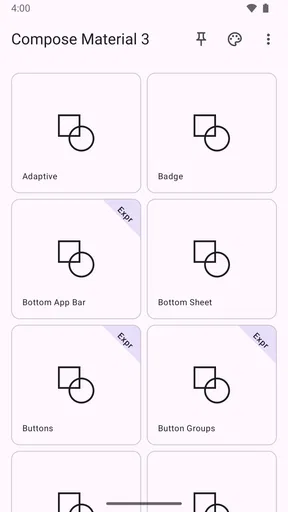
So, let's talk about the interface. When I first opened the app, I was greeted by a clean, intuitive layout. Everything is designed with simplicity in mind, making it super easy to navigate. The menu is straightforward, and finding the component you want to explore is a breeze.
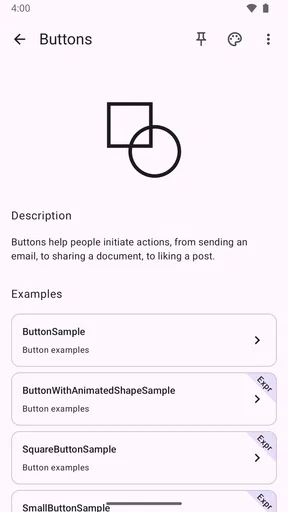
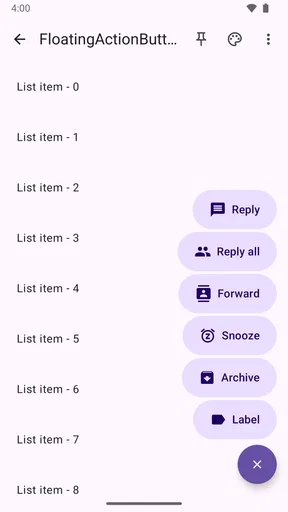
The best part? You can interact with each component to see it in action. Whether it's buttons, sliders, or text fields, you get to play around with them and understand how they behave. It's like having a mini lab right in your pocket!
Features that Stand Out
Now, let's dive into some standout features. One thing I absolutely love is the organized way the components are listed. They're categorized neatly, so you can jump straight to what you need without any fuss. Plus, each component comes with detailed documentation. It's like having a helpful friend guiding you through the process.
Another cool feature is the code snippets. For those who love to see how things tick, the app offers snippets that show you exactly how to implement each component in your own projects. It’s a fantastic resource for learning and experimentation.
Learning and Experimentation
This app isn't just for developers looking for quick references. It's also a wonderful learning tool. If you're new to Jetpack Compose, you can use the Compose Material Catalog to familiarize yourself with the framework. The interactive nature of the app helps you understand the concepts much more effectively than just reading about them.
Moreover, the app is frequently updated with new components and features. This keeps it fresh and ensures that you're always learning the latest and greatest in UI design.
Is It Worth Your Time?
So, the big question: is the Compose Material Catalog worth downloading? In my opinion, absolutely! Whether you're a newbie or a pro, this app offers something valuable for everyone. It's user-friendly, informative, and just plain fun to use. Plus, being able to explore and experiment on the go makes it an indispensable tool for any developer's toolkit.
In conclusion, if you're looking to enhance your UI skills and dive deeper into Jetpack Compose, this app is a must-have. It bridges the gap between theory and practice, making learning both engaging and effective. So go ahead, give it a try, and let me know what you think!
Happy composing!
Practical details before you install
The app is rated for Everyone, has a 4.0 average from around 900 ratings, and has passed 100,000 installs. It first appeared on August 2, 2021; version 2.5.0 is the current release, and Android 6.0 is the minimum operating-system requirement. Those details make it accessible to a broad range of Android users, while the modest rating count is best read as a useful signal rather than a definitive verdict on every device or workflow.
Because this is an Android-focused demo, iPhone users should not treat it as a cross-platform design catalog. For an Android learner, the more relevant comparison is with documentation pages, sample projects, and tutorial videos. Documentation is better when you need precise, current implementation guidance; a sample project is better when you want to inspect a complete working setup; video can explain a sequence of decisions. The catalog’s advantage is immediacy: you can poke at a component and observe it without first assembling a project.
How I would use examples in a real project
I would use a snippet as a prompt for an experiment, not paste it blindly into an app. First, I would identify the component and the behavior I want to understand. Then I would compare the example with the design system and Compose dependencies already used by my project. Finally, I would recreate the relevant behavior in a small screen of my own and test it with the surrounding content. This extra step catches mismatches that a standalone demo cannot reveal, such as whether the control makes sense in a longer form or alongside the project’s existing visual choices.
A useful, less obvious habit is to record the reason an example caught your eye, not only its code. “This slider gives clear feedback while dragging” is more useful later than a saved snippet without context. It also helps separate a behavior you want to preserve from styling you intend to change. The catalog can show a concrete starting point, but your project’s constraints decide what belongs in the final design.
Choosing a moment and managing expectations
For a realistic everyday use, imagine you are away from your desk and a teammate asks whether a particular control has an interaction worth exploring. I would open the catalog, inspect the closest demo, and share the observation verbally or in my notes. If the screen does not load as expected, I would move on to the project documentation or revisit it later rather than spend the break troubleshooting. That makes the app a convenient companion, not a critical dependency in a development process.
Connectivity matters most when your plan depends on information outside the visible example. I would not assume that every supporting resource will be available in a weak-signal setting; instead, I would keep essential technical references and project files in the tools I already use for development. For data-conscious use, the practical approach is simply to open only the examples you need and avoid repeatedly refreshing or browsing aimlessly. That is a workflow suggestion, not a claim about the app’s data usage or offline behavior.
A measured recommendation
The listed price is free, so trying it is an easy decision for someone already curious about Jetpack Compose. Still, free does not mean it should become your only reference. The strongest fit is a learner or Android developer who wants a quick, tactile way to inspect components; the weaker fit is anyone expecting a full curriculum, a general-purpose UI builder, or a guaranteed answer to project-specific implementation questions.
My recommendation is to keep it alongside, rather than instead of, documentation and your development environment. Use it to turn an abstract component into something you can see and interact with, then verify the idea where it will actually live. With that boundary in mind, Compose Material Catalog is a focused pocket reference that can make brief moments of curiosity productive without asking it to do the work of a full development tool.
Pros
- User-friendly interface with intuitive navigation.
- Extensive collection of Material Design components.
- Regular updates with new features and fixes.
- Supports both light and dark themes.
- Open-source
- encouraging community contributions.
Cons
- Limited to Material Design
- less flexibility.
- Requires Android Studio for full functionality.
- Can be resource-intensive for older devices.
- Lacks advanced customization options.
- No offline usage; dependent on internet.
FAQs for Compose Material Catalog
What is the Compose Material Catalog app?
The Compose Material Catalog app is a showcase application that demonstrates the capabilities of Jetpack Compose's Material Design components for Android development. It provides developers with examples and code snippets to understand how to implement Material Design effectively in their own apps using Jetpack Compose.
Is the Compose Material Catalog app free to use?
Yes, the Compose Material Catalog app is completely free to download and use. It serves as an educational tool for developers looking to explore and experiment with Material Design components in Jetpack Compose without any cost or subscription requirements.
What can I learn from the Compose Material Catalog app?
Users can learn how to implement a wide range of Material Design components such as buttons, cards, and dialogs using Jetpack Compose. The app provides code examples and interactive previews, making it easier for developers to integrate these components into their own projects seamlessly.
Do I need any prior coding experience to use the Compose Material Catalog app?
While the app is primarily designed for developers with some experience in Android development, it also serves as a learning tool for beginners. However, having a basic understanding of Kotlin and Android app development will enhance your ability to make the most of the app's features and examples.
Can the Compose Material Catalog app be used offline?
The app can be used offline to view pre-loaded examples and code snippets. However, for accessing additional resources or updates, an internet connection is recommended. This ensures you have the latest information and examples available from the Jetpack Compose community.


